Grade 2 and Grade 3 marking
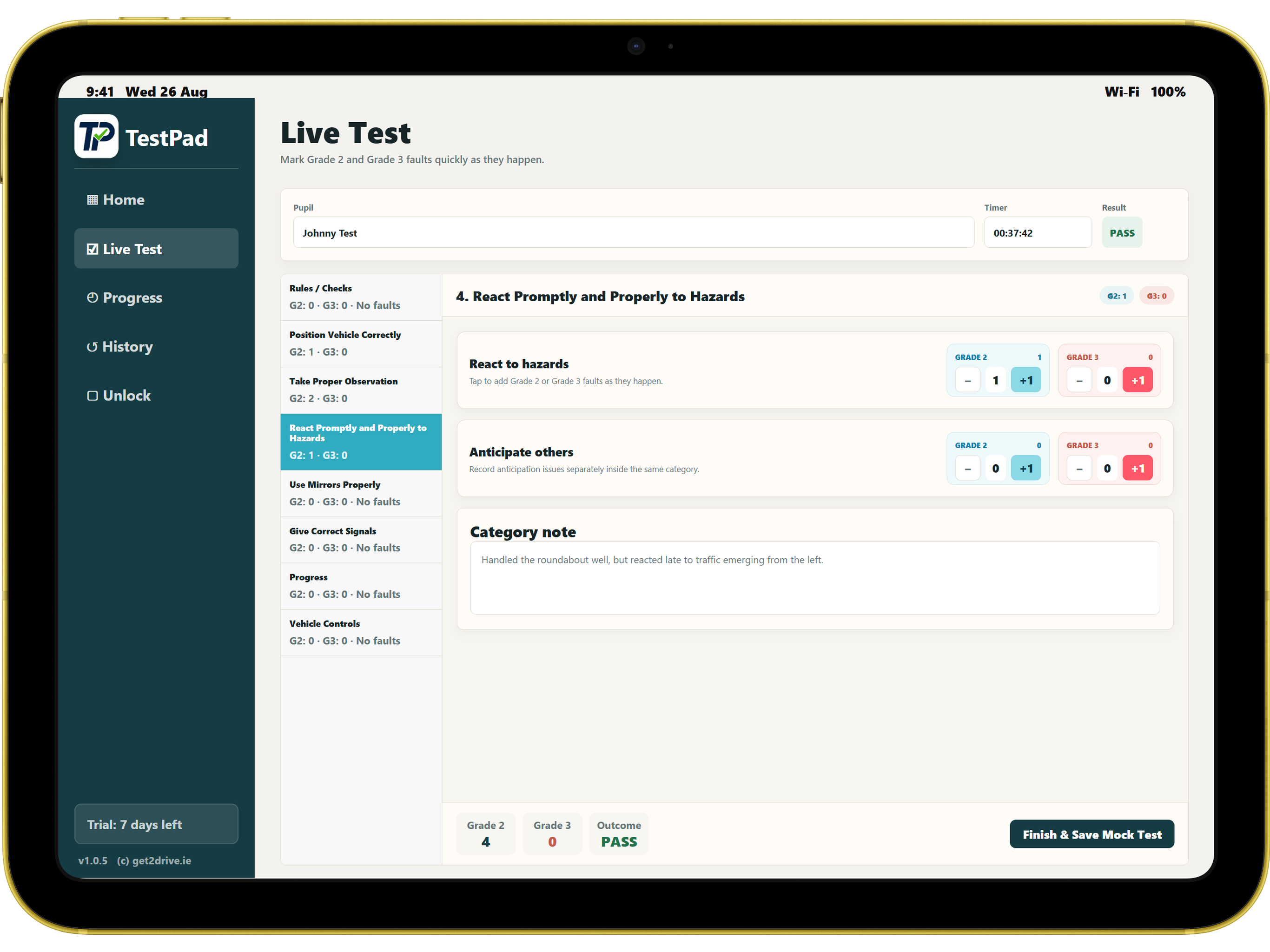
Tap fault counters by category during a live mock test, with clear totals and a pass or fail outcome visible as you work.
 TestPad
Live on Google Play and App Store
TestPad helps Irish driving instructors run RSA-style mock tests, use an optional live test timer, record Grade 2 and Grade 3 faults, save pupil history, and reopen reports on the device, even when the signal is patchy.



Live mock tests
Saved pupils
Searchable history
Instructor notes
One-time unlock
Watch TestPad in action
See how TestPad supports marking a mock test, using lesson-ready guidance, and keeping records clear on a tablet.
 Watch the TestPad demo
Less admin between lessons
TestPad keeps the familiar flow of a driving test sheet and makes it easier to tap faults, time a mock test, review outcomes, and keep recent pupil records together. It is not affiliated with or endorsed by the Road Safety Authority.
About TestPad
TestPad is a tablet-focused mock driving test app for Irish driving instructors. It is designed for lesson-day use: marking faults, timing tests, reviewing pupil progress, and keeping saved mock test history close to hand.
The app is offline-first and keeps pupil records on the instructor's device. TestPad has no user accounts, no cloud pupil storage, and no unnecessary tracking.
See how TestPad is developingTap fault counters by category during a live mock test, with clear totals and a pass or fail outcome visible as you work.
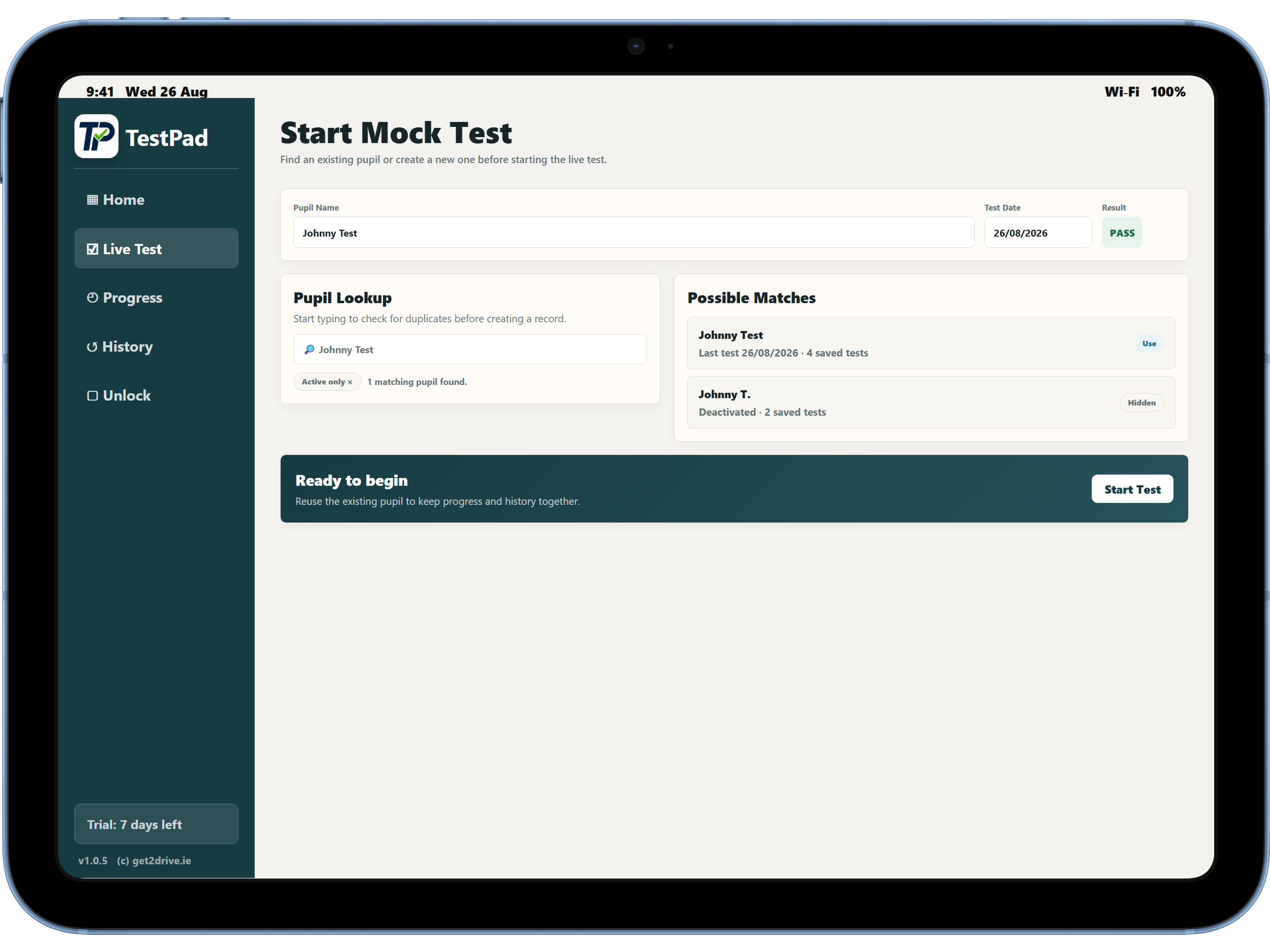
Find recent pupils, reuse existing records, or create a new pupil before opening the live marking sheet.
Add notes against categories so feedback is easier to revisit after the lesson or before the next drive.
Use the optional timer during a mock test and keep the elapsed time with the completed test record.
Use a PIN lock and local storage designed around keeping pupil names and saved tests on the instructor's tablet.
Tablet-oriented screens are designed for use in the car, whether the device is held upright or across the dash.
Latest app features
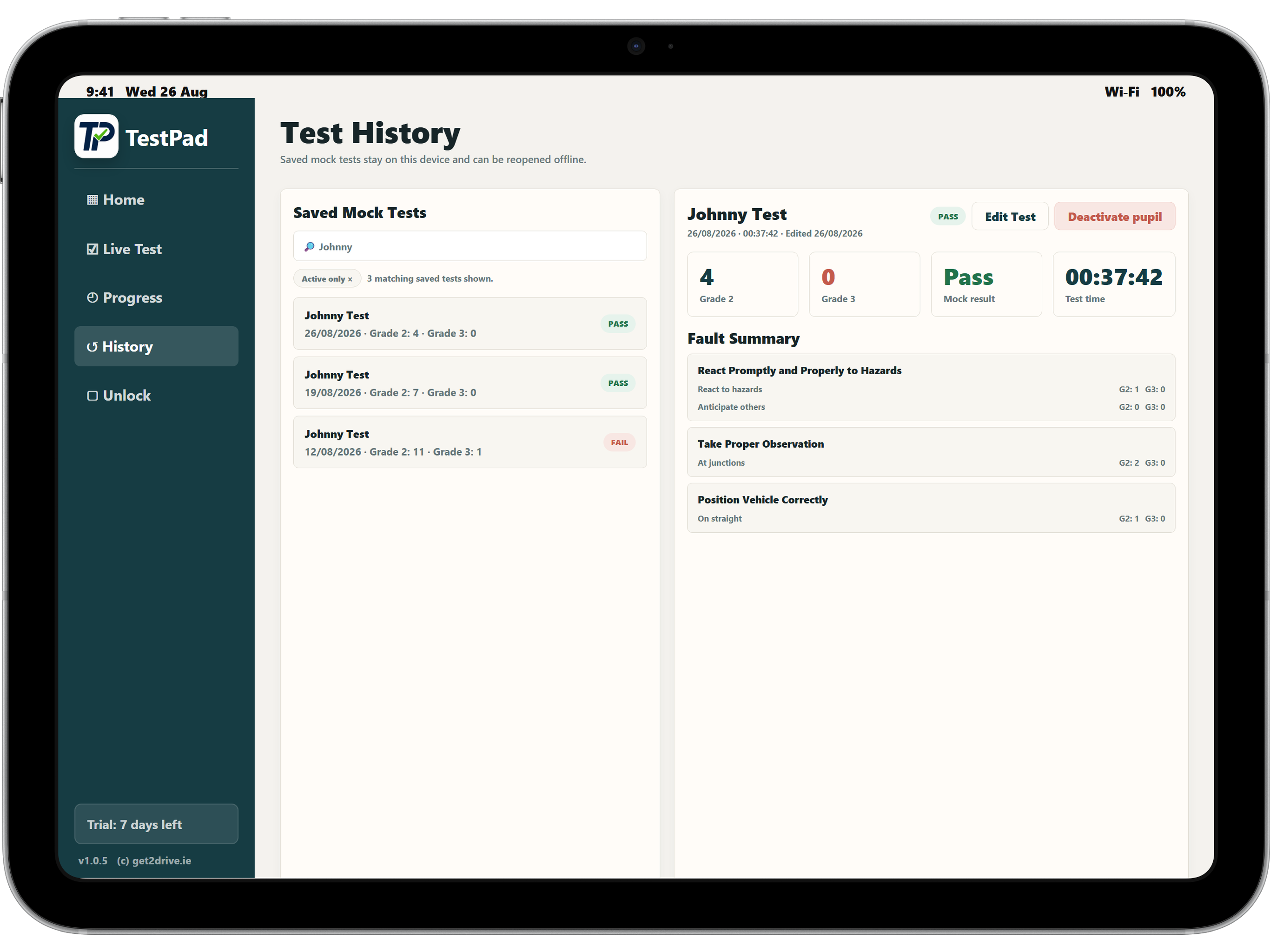
Find previous mock tests faster when reviewing past outcomes or preparing for a follow-up lesson.
Reopen a saved mock test record and correct details when something needs tidying after the lesson.
Keep old pupils out of the active workflow without losing their local history on the device.
Focus day-to-day pupil lists on active learners while still being able to bring archived pupils back.
Tablet-first workflow
Offline-first privacy
The current TestPad app does not send pupil names, mock test records, notes, PINs, or test history to get2drive.ie servers. It does not currently use analytics, advertising SDKs, crash reporting SDKs, location tracking, contacts, camera, microphone, or background tracking.
Read the privacy policyStore availability
The Android production release is live on Google Play, and the iPad/iOS version has been approved for the App Store. TestPad includes a 7-day trial, local offline history, PIN protection, an optional live test timer, searchable history, saved-test editing, pupil deactivation/reactivation, active-only filtering, and a one-time unlock purchase.
Device requirements
Use TestPad on a modern Android phone or tablet with Google Play, or on an iPhone or iPad with access to the App Store.
You need internet access for install, purchase, Restore Purchase, and updates. Once installed and unlocked, mock tests and local history are designed to work offline.
Keep enough free device storage for pupil and test records. Records are stored locally, so device backup is the instructor's responsibility.
Support and setup
Install TestPad from Google Play or the App Store, open the app, and set your PIN. The 7-day trial gives access to the core mock test workflow before the one-time unlock is needed.
Start a mock test by entering the pupil name. TestPad can show similar existing pupils so you can reuse a record instead of creating duplicates.
Mark Grade 2 and Grade 3 faults, add category notes, use the optional timer if useful, then save the completed test to local history.
Search saved history, edit saved mock tests, deactivate pupils you no longer teach, and reactivate them later if needed.
TestPad stores pupil and mock test records on the device. Deleting the app, clearing app data, or losing the device can delete local pupil/test records. Restore Purchase restores paid access on the same store account; it does not restore deleted local pupil records or mock test history.
TestPad does not use analytics, remote logs, crash reporting, or server-side pupil records. If you need help, please include your app version, device model, Android/iPadOS version, and a short description of what happened.
Prepare support requestRead release notesView roadmapQuestions instructors ask
No. TestPad is designed to work offline for live mock tests, the timer, saved pupils, searchable history, and local history after install and unlock.
They are stored locally on the device. Pupil names are encrypted in local storage, and the app includes a PIN lock.
Deleting the app or clearing app data can delete local pupil records and saved mock tests from that device. Restore Purchase restores paid access only; it does not restore deleted local records.
Yes. Current TestPad builds support editing saved mock test records and searching saved history.
Yes. Pupils can be deactivated and reactivated, with active-only filtering available for day-to-day lists.
No. TestPad does not send analytics or remote logs. Support requests may need your app version, device model, operating system version, and a clear description from you.
Yes. TestPad is available on Google Play and approved for iPad/iOS on the App Store.
Use a modern Android phone or tablet with Google Play, or an iPhone or iPad with App Store access. Internet is needed for install, purchase, Restore Purchase, and updates; mock tests can be run offline once the app is installed and unlocked.
No. TestPad is an independent mock test aid and is not affiliated with or endorsed by the Road Safety Authority.